Storage cleaner
The best free iPhone storage cleaner.
See exactly what is filling your iPhone, then clear it: duplicates, oversized videos, screenshots, blurry shots and Live Photos. Free, with iPhone-library cleanup on-device.
Free forever No ads, no subscription Core cleanup runs on-device

What is actually using your iPhone storage
When iOS says storage is almost full, the number that matters is rarely “Other”. On most iPhones the photo and video library is the largest thing a person can control, and inside it the distribution is brutally uneven: a few dozen videos can weigh more than twenty thousand photos.
- Video is the heavyweight. A minute of 4K footage at 60 fps runs roughly 350 to 400 MB with the High Efficiency setting, and about half that at 30 fps.
- Screenshots and screen recordings add up quietly. Individually small, but libraries routinely hold thousands of them, and screen recordings are full video files.
- Live Photos carry a hidden video. Each one stores a still plus about three seconds of motion, which usually doubles the file.
- Duplicates are pure waste. Restores and sync conflicts leave byte-identical copies that no one chose to keep.
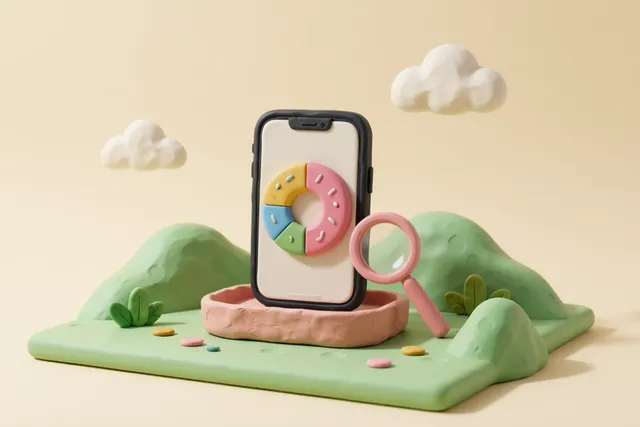
TidyByte’s storage dashboard turns that into a donut chart of photos, videos, screenshots, Live Photos and other, with the largest individual files listed underneath. Before you delete anything you can see which slice is worth attacking, and the 30-day trend shows whether your library is still growing.
What a storage cleaner can and cannot clear on iOS
This is worth stating plainly, because App Store listings often imply otherwise: no third-party app can empty another app’s cache, delete system data, or reach into “Other”. iOS sandboxes every app to its own container. A cleaner that claims to clear those is describing something it cannot do.
What a cleaner can do is clean your photo and video library, which is where the reclaimable space genuinely lives, and do it without you hunting through the Photos app for hours. That is the whole scope of TidyByte, and it is enough: on a library that has never been cleaned, the reclaimable space is usually measured in gigabytes.
Where the space usually comes from
- Duplicate photos left by restores and sync conflicts
- Screenshots and screen recordings from years of use
- Long 4K videos that could be compressed instead of deleted
- Live Photos whose motion clip you have never watched
- Burst sequences where one frame was ever needed
- Blurry, dark or accidentally repeated shots
A storage cleanup you will actually finish
Storage cleanups fail for the same reason diets do: the plan is too ambitious to survive contact with a Tuesday evening. TidyByte is built around bounded sessions instead. Pick one tool, finish it, and stop.
- Open the storage dashboard and note the largest slice. That is your target.
- Run the matching tool — duplicates, screenshots, large files, bursts, Live Photos — and review what it found.
- Confirm the deletion once. The space comes back immediately, and the items sit in Recently Deleted for 30 days.
- Compress rather than delete for the videos and photos you want to keep at full length.
- Check Activity & savings to see the running total, then stop for the day.
The Home Screen widget shows the reclaimable total at a glance, and the optional weekly reminder nudges you when the number grows again. That is the whole maintenance plan: a few minutes a month, not a weekend of scrolling.
Honest numbers, no inflated savings
Cleaner apps love big numbers, so it is worth saying how TidyByte counts. Deletion savings come from the real file sizes the Photos framework reports, and compression savings come from comparing the exported file against the original — if a re-encode would make a file larger, the app says so and skips it rather than recording a fake win.
Assets that live only in iCloud do not report a size until they are downloaded, so the app counts those separately instead of treating them as zero bytes. The Activity & savings ledger records what was actually removed or re-encoded, on-device, and it excludes failed attempts from the totals.
The result is a storage cleaner you can trust to tell you the truth about your own library, which is more useful than a marketing claim about someone else’s.
How it compares
| TidyByte | iOS Storage settings | Typical paid cleaner | |
|---|---|---|---|
| Shows what the photo library contains | Donut chart by type plus largest files | A single total for Photos | Usually a total only |
| Clears duplicates and similar shots | Yes, with review | Duplicates album for exact matches | Yes |
| Clears app caches and system data | No, and no app can on iOS | Offload app, delete app | Claims vary, usually impossible |
| Shrinks videos and photos | Yes, with size verified | No | Sometimes |
| Tracks space freed over time | Activity & savings ledger, 30-day chart | No | Sometimes |
| Cost | Free, no in-app purchases | Free | Subscription |
-
Free forever
No subscription, no in-app purchases, no ads.
-
Private by design
No TidyByte account, backend, analytics SDK, ads, or tracking.
-
On-device only
iPhone-library cleanup runs locally; optional Google Photos connects directly to Google.
-
Open source
MIT licensed on GitHub, so every claim is auditable.
Frequently asked questions
What is the best free storage cleaner for iPhone?
The best free iPhone storage cleaner shows where the space actually went and lets you reclaim it without uploading anything. TidyByte maps your photo library by type, surfaces the largest files, clears duplicates and screenshots, and compresses videos and photos, all on-device and free with no subscription or ads.
How much space can a storage cleaner actually free on an iPhone?
On a library that has never been cleaned, the recoverable space usually comes from three places: duplicate copies, screenshots and screen recordings, and large 4K videos. TidyByte shows you the total for each before you delete anything, so you decide what is worth removing rather than trusting a marketing number.
Can any iPhone app clear system data or “Other” storage?
No. iOS sandboxes every app to its own container, so no third-party cleaner can empty caches or system data belonging to other apps, whatever the App Store listing claims. TidyByte only touches your photo and video library, where the reclaimable space genuinely is, and it says so plainly.
Will a storage cleaner delete photos from iCloud too?
Deleting a photo removes it from your library, so if iCloud Photos is enabled the removal syncs to iCloud as well, exactly as it would if you deleted the photo in the Photos app. Nothing leaves Recently Deleted for 30 days, and TidyByte always routes deletion through the standard iOS confirmation.
Why is my iPhone storage full when I have few photos?
Common causes are large video files, screenshots and screen recordings, Live Photos, and photos restored from a backup that already existed in iCloud. TidyByte's storage dashboard breaks the library into photos, videos, screenshots, Live Photos and other, so the real culprit is visible before you delete anything.
Every cleanup tool, in one free app
-
Photo cleaner
One free app that clears every kind of photo clutter — duplicates, similar shots, screenshots, screen recordings, chat media, blur, bursts, Live Photos and oversized videos. iPhone-library cleanup runs on-device.
-
Large files
The few files that eat most of your storage are videos. Sort them by size, decide file by file, then delete or compress.
-
Video compression
4K clips are what fill iPhones. Re-encode them at a preset you choose, check the real file size, then decide what to do with the original.
-
Image compression
Re-encode the photos that are larger than they need to be, choose the quality, and see exactly how many megabytes each one returned.
-
Duplicate cleaner
Exact copies matched byte-for-byte, plus near-identical shots grouped by Apple's Vision framework. Review every group, keep the best, delete the rest.
-
Similar photos
Twenty shots of the same moment, one worth keeping. Group them, score them, keep the best — without a subscription.
-
Screenshot cleaner
Screenshots pile up faster than any other kind of photo. Find them all, review them in one list, clear them in a single pass.
-
Blurry photos
Sharpness, darkness and overexposure scored on-device, with a sensitivity control you can tune. Keep the memories, bin the misses.
-
Burst photos
A ten-second burst is thirty photos, and twenty-nine of them are waste. Group them, keep the best frame, clear the rest.
-
Live Photo converter
Every Live Photo carries a short video you rarely watch. Keep the still, lose the motion, keep the metadata.
-
Photo organizer
Sort thirty thousand photos without renaming a single file: browse by category, year or album, and make keep-or-delete decisions in one pass.
-
Free, no subscription
No paywall on the delete button. No weekly plan. No ads between photos. Free because there is no TidyByte backend, ad system, or subscription to fund.
-
Screen recordings
Screen recordings are the largest files nobody remembers making. Find every one, see its size, and clear them in a single pass.
-
Chat media
Every chat app quietly saves photos and videos into your library. Review them by album and clear the ones you never meant to keep.
-
AI photo search
Describe what you are looking for. Local AI searches the iPhone library on-device and works offline for photos already available there. Optional Google Photos is separate in enabled builds.
Find your wasted gigabytes.
Download TidyByte, open the storage dashboard, and see what is really filling your iPhone.